Features · Segmentation
Send to the right subscribers, every time.
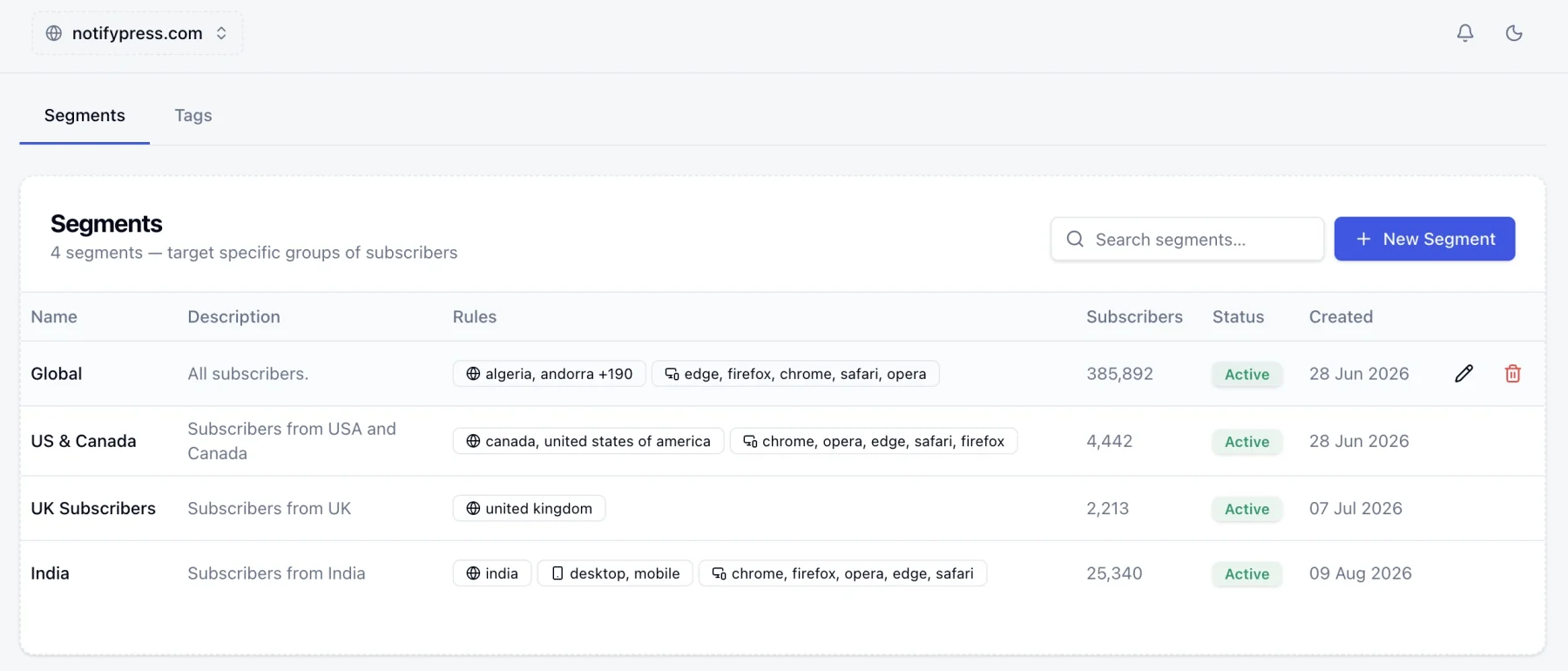
A segment is a saved filter over your subscriber list. Combine country, device, browser and your own tags, watch the audience count settle as you go, and stop sending your whole list a message meant for a slice of it.
app.notifypress.com
What you can filter on
Three of these arrive on their own. The fourth is whatever you decide it should be.
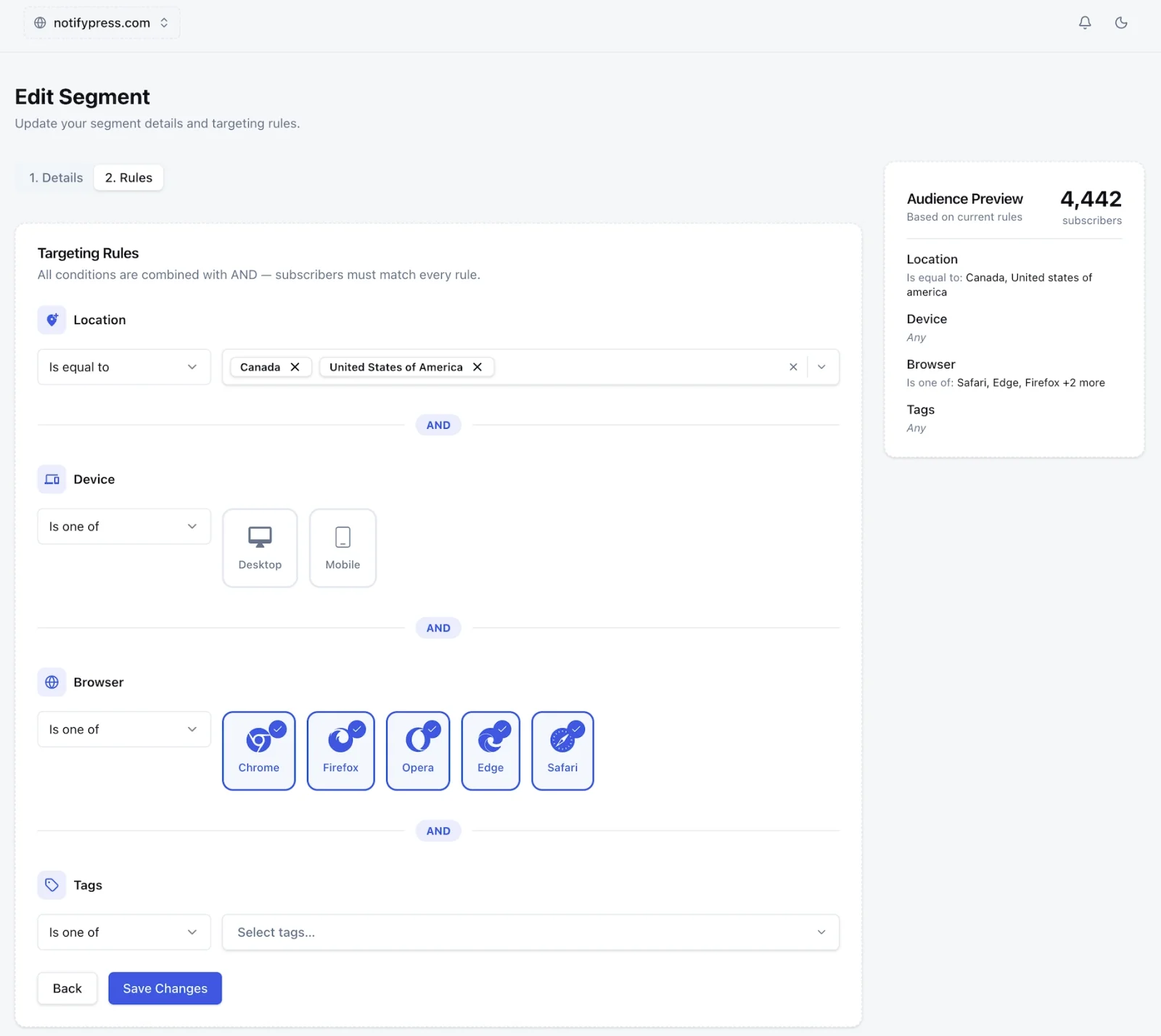
Location
Country, detected at opt-in from the subscriber's own browser. Pick one, pick a list, or exclude a list: "everywhere except Canada" is a single rule.
Device
Desktop or mobile. Useful when the offer only makes sense on one of them, or when the landing page you are sending people to is not worth opening on a phone.
Browser
Chrome, Firefox, Safari, Edge and Opera. Worth reaching for when a feature you are announcing only works in some of them.
Tags
Your own labels, for everything the browser cannot tell you. Apply them by hand from the subscriber list, from an automation step, or through the API.
Each one takes is, is not, or is one of, so a rule can just as easily exclude a group as include one.
How a segment gets built
Details
Name the segment and describe it. The description is what you will read six months later when you are deciding which of four segments to send to, so it earns its place.
Rules
Add a condition per dimension. Every condition is combined with AND (a subscriber has to match all of them), and a running count beside the builder shows roughly how many people that leaves.
Reuse
Saved segments show up as a targeting option on every campaign and on automation enrollment. Build the filter once, then stop thinking about it.
app.notifypress.com
Tags versus segments
A tag is a label you put on a subscriber. By hand, from an automation step, or through the API. A segment is a saved filter, and a tag is one of the four things it can filter on. Reach for a tag when you want to record something about a person, and a segment when you want to describe a group.
A segment is not a one-off list
Membership is worked out when a campaign actually goes out, not when you saved the rules. Someone who subscribes tomorrow and matches is included tomorrow, with nothing for you to refresh.
Questions, answered.
Stop sending everything to everyone.
Free forever for up to 300 subscribers.